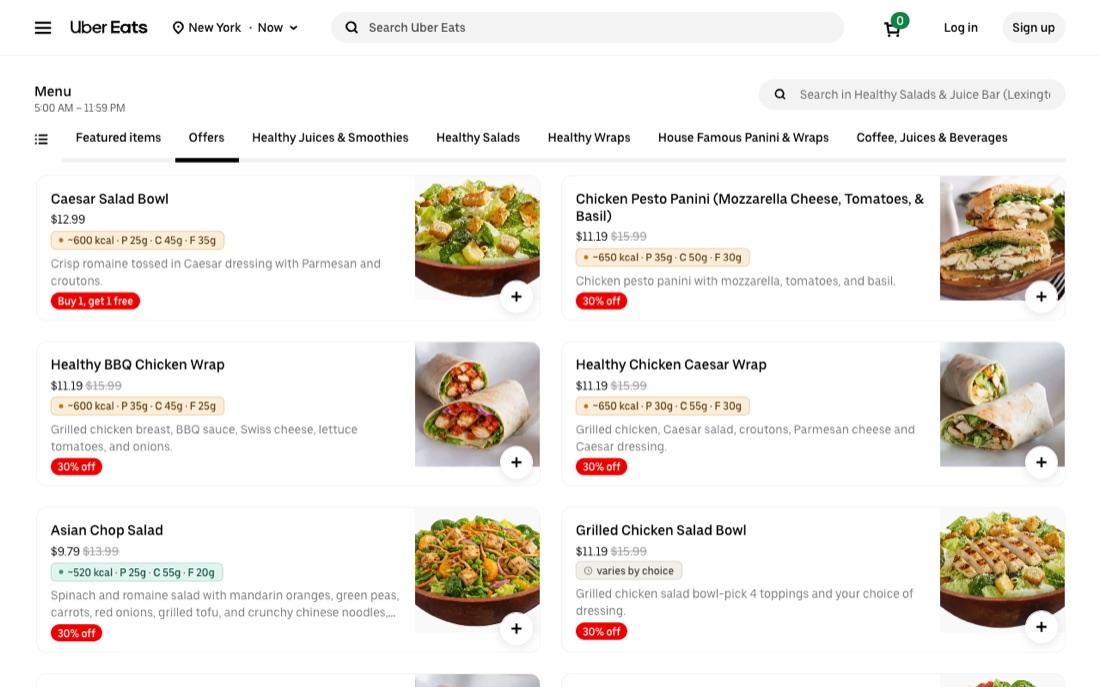
A free Chrome extension that shows estimated calories and macros right on every Uber Eats dish.
Uber Eats doesn’t show nutrition. Calorie Tracker adds estimated calories and macronutrients (protein, carbs, fat) directly onto dish cards while you browse, so you can make informed choices without leaving the page or logging anything by hand.
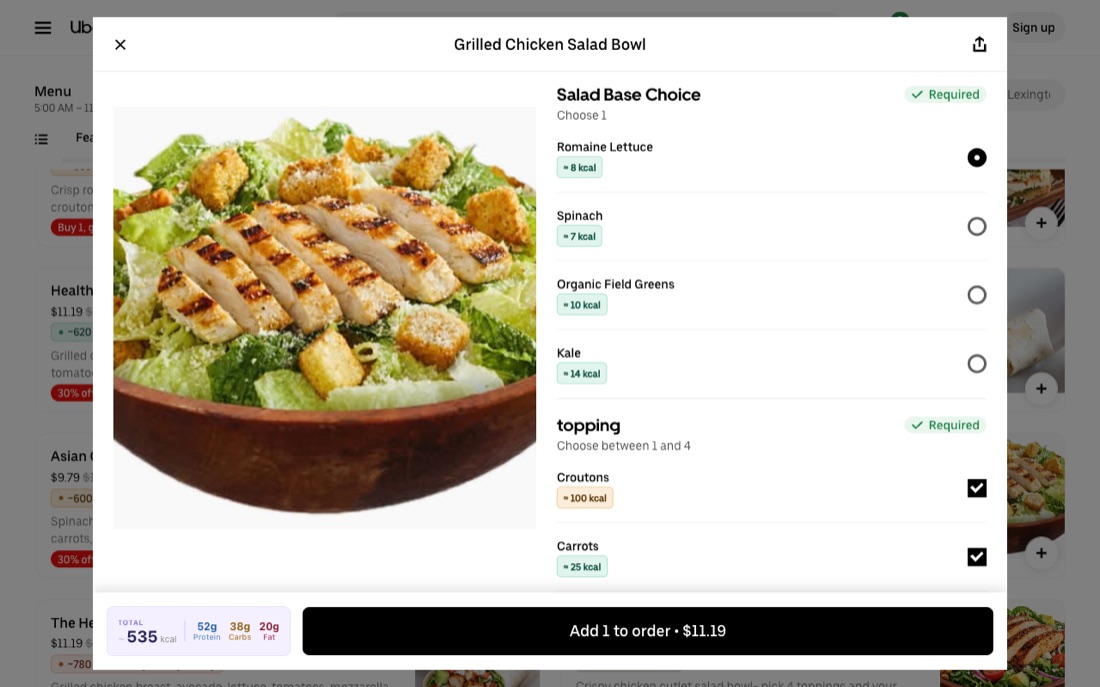
Uber Eats does not show calories by default. Calorie Tracker is a free Chrome extension that adds estimated calories and macros directly onto each dish while you browse Uber Eats in your desktop browser.
Install the Calorie Tracker Chrome extension, open ubereats.com, and browse any restaurant. Estimated calories and macros appear automatically on each dish card — no copy-pasting or manual logging.
The values are AI estimates generated from each dish’s name and description. They are meant as guidance to compare lighter vs. heavier options, not as exact or medical nutrition figures.
The extension is free to install and comes with a 7-day free trial — full access on every dish, no credit card required. After the trial, the first few dishes of each menu still show their calories, and a low-cost Premium subscription unlocks unlimited use and full macros on every dish.
It works on ubereats.com in a desktop Chrome browser (where you can install extensions). It does not run inside the Uber Eats phone app.
Calorie and macro values are estimates generated by AI from each dish’s name and description. They are guidance only — not medical or exact nutritional advice. Not affiliated with Uber Eats.